 Evgenii Alekseev
2d6d42f969
Evgenii Alekseev
2d6d42f969
* store built packages in archive tree instead of repository

* write tests to support new changes

* implement atomic_move method, move files only with lock

* use generic packages tree for all repos

* lookup through archive packages before build

* add archive trigger

* add archive trigger

* regenerate docs

* gpg loader fix

* support requires repostory flag

* drop excess REQUIRES_REPOSITORY

* simplify symlionk creation

* remove generators

* fix sttyle

* add separate function for symlinks creation

* fix rebase

* add note about slicing

* smol refactoring of archive_tree class

* remove duplicate code

* fix typos

* few review fixes

* monor fixes and typos

* clean empty directories

* remove side effect from getter

* drop recursive remove

* ensure_exists now accepts only argument

* add package like guard to symlinks fix

* speedup archive_lookup processing by iterrupting cycle

* remove custom filelock

* fix naming

* remove remove flag from repo

* review fixes

* restore wrapper around filelock

* extract repository explorer to separate class

* docs update

* fix ide findings
ArcH linux ReposItory MANager



Wrapper for managing custom repository inspired by repo-scripts.
Features
-
Install-configure-forget manager for the very own repository.
-
Multi architecture and repository support.
-
Dependency manager.
-
VCS packages support.
-
Official repository support.
-
Ability to patch AUR packages and even create package from local PKGBUILDs.
-
Various rebuild options with ability to automatically bump package version.
-
Sign support with gpg (repository, package), multiple packagers support.
-
Triggers for repository updates, e.g. synchronization to remote services (rsync, S3 and GitHub) and report generation (email, html, telegram).
-
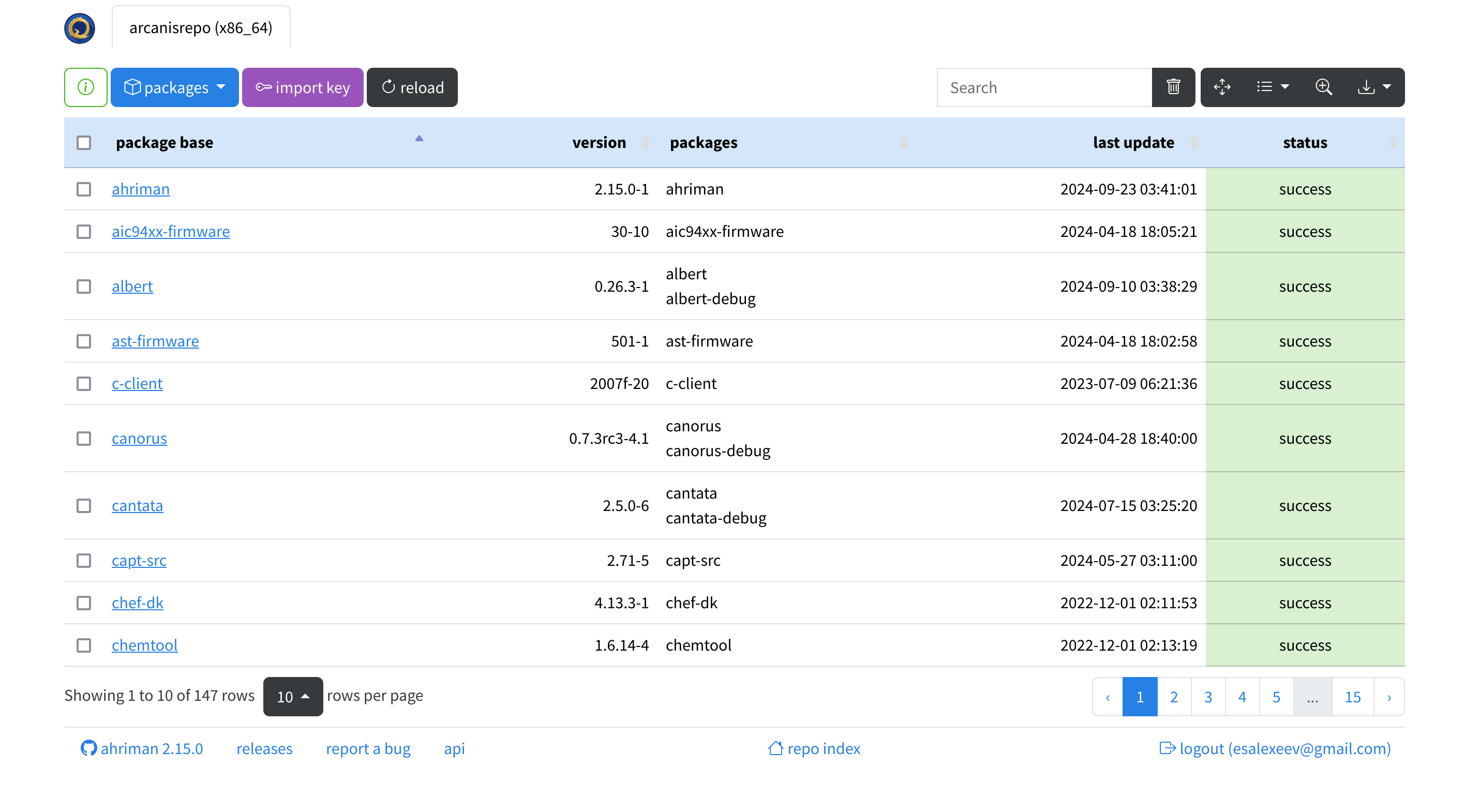
Repository status interface with optional authorization and control options:


Installation and run
For installation details kindly refer to the documentation. For application commands it is possible to get information by using --help/help command or by using man page (web version).
Configuration
Every available option is described in the documentation.
The application provides reasonable defaults which allow to use it out-of-box; however additional steps (like configuring build toolchain and sudoers) are recommended and can be easily achieved by following install instructions.
FAQ
Live demos
- Build status page. You can log in as
demouser by usingdemopassword. However, you will not be able to run tasks. HTTP API documentation is also available. - Repository index.
- Telegram feed.
Do you have any success story? You can share it!